lilocam
lilocam · for iPhone

The future of iPHONE photography.

A revolution in your pocket.

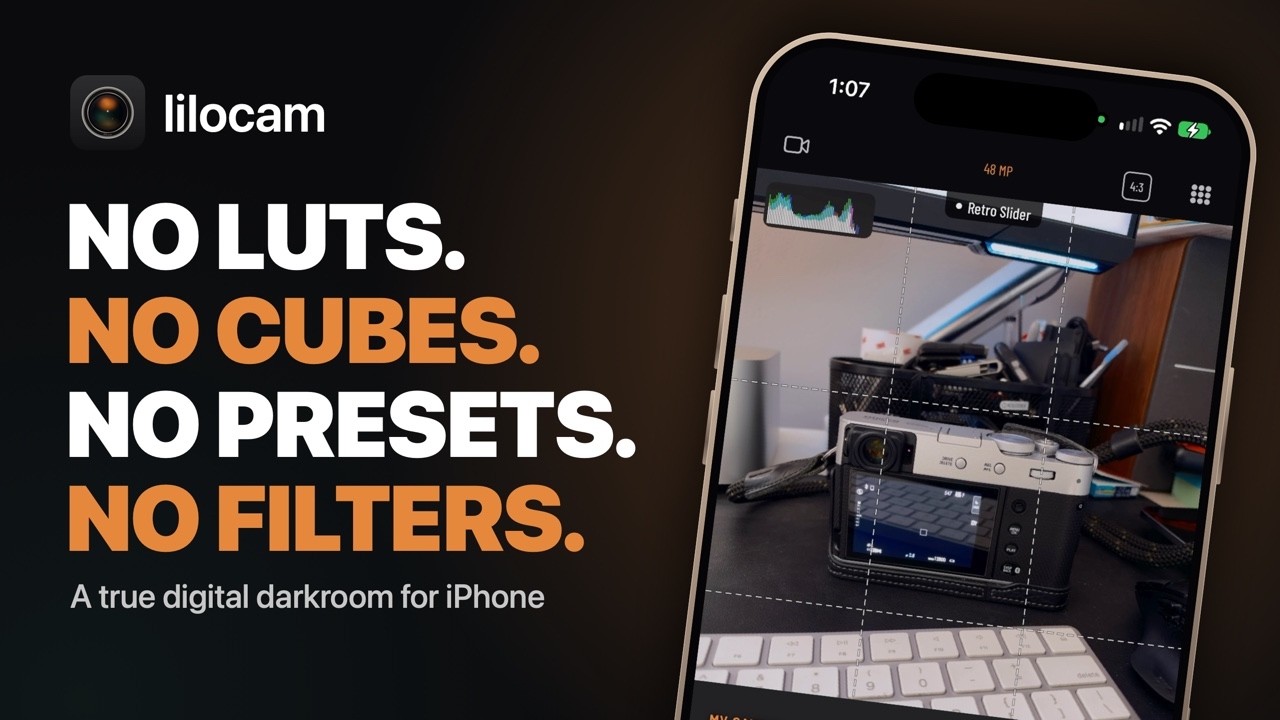
lilocam is the next evolution of iPhone photography: a true digital darkroom that keeps the RAW negative and develops it the way a real camera's processor would. Any camera's color science, its looks and its recipes, emulated from the RAW itself, right on your phone.

Coming soon onthe App Store
Something is developing in the dark.
41Film looks
48 MPFull-size develops
0LUTs, cubes or presets
20 MBThe whole app
Why lilocam

No more photos that look like they were shot on a phone. No more camera apps that slap on a filter and sell it to you as film simulations.

Developed, not decorated

Other apps paint a filter, a preset, a LUT or a cube over a finished photo and call it a recipe. lilocam develops the look from the RAW negative itself.

PRO is for life

With PRO you'll never pay for a "look" pack again. Every new collection and every new feature is included, for life.

Built like a camera

Every button is strategically placed to minimize accidental touches, so the only thing your thumb finds is the shot.

Color science

Any camera.
One iPHONE.

Reproduced, not imitated.

Every great camera has its own color science: how it renders skin and sky, how it rolls off a highlight, how deep it lets a shadow go, the grain it leaves behind. lilocam emulates it. Each look is a model of one camera's own processing, its tone, color and grain, fitted to that camera's own straight-out-of-camera pictures.

Each collection is one camera, judged only against that camera. That's how lilocam can take on any camera's looks and recipes without any of them bleeding into another.

20

A Japanese camera's film simulations

The Nippon Collection, from punchy slide film to deep black and white.

21

A German camera app's looks PRO

The European Collection: rich, restrained and timeless.

41 looks: the Nippon and Europe collections on the film strip
How it works

A darkroom, not a filter.

Press the shutter and lilocam does what a darkroom does: it keeps the RAW negative and develops it, right on your phone, into a finished picture with your own film recipe. Or use one of ours.

The RAW negative

Your iPhone captures in ProRAW. lilocam keeps every bit of it as a negative that's yours to develop.

The camera's processing, computed

Nebula, lilocam's own film-lab engine, works out exposure, tone, color, grain and dynamic range for this one picture.

The picture it would have made

A finished photograph in your recipe, straight out of camera, at full size. Nothing pasted on top.

The recipe editor's tone controls
Not one

No LUTs.No cubes.No presets.No filters.

A filter paints a look over a photo that's already finished. lilocam develops the look from the RAW negative itself, through Nebula: exposure, tone, color, grain and dynamic range, worked out for every picture, never pasted on top.

A filter

Decorates a finished JPEG. Same overlay, every scene.

lilocam

Develops the RAW. Every picture worked out on its own.

It's the difference between a photograph that's been decorated and one that's been developed. And the whole app is only 20 MB, smaller than a typical photo it develops: proof that there are no LUTs, cubes, presets or filters inside (or packaged with it).

Re-develop

Nothing is
ever final.

The RAW stays.

Because every RAW photograph stays a negative, nothing is ever locked in. Fall for a different look next week? Develop it again. No loss, no compromise.

Picking another look for a picture already taken
The recipe editor on a European look
Lens filters that read the scene
The looks

Two collections.
Plus your own.

The Nippon Collection

The color of classic Japanese film, from punchy slide film to deep black and white.

The European Collection PRO

The color of precision German photography: rich, restrained and timeless.

Bloom and Halation PRO

The glow of light blooming through film, on any look, read from the picture's own highlights.

Your own recipes

Build one, name it, pin it to the film strip and shoot with it. Spotted a recipe online? Point the camera at it, scan its QR code, or paste it in.

A real camera

Shoot it like
a camera.

PASM

P, A, S and M. An EV dial under your thumb. Every lens one tap away. And a movie mode that grades your footage live, with your recipe.

EV dial Every lens, one tap Level Histogram Focus peaking 5 aspect ratios, 1:1 to 65:24 RAW · JPEG · HEIF Movies, graded live
Movie mode, graded live with a recipe
A full-resolution develop in the library
Pictures straight out of lilocam
Your darkroom

Always open.

Every detail, up to 48 MP.

Every negative lives in your library, ready to develop again. Try any recipe on any RAW photograph or any movie, go back to how it was shot, build albums, and save, share or print the pictures you love.

See it shoot

Your iPHONE is now any camera.

A true digital darkroom, real SOOC photos.
Koua Lo
From the maker
Forty years behind a camera, one that had everything but one thing, and why I built lilocam.
A personal message from Koua.
Read the letter
With your X-Trans V camera

Its companion, too.

Pair a compatible camera and lilocam becomes its companion. Every other part of lilocam works without one.

Pairs on its own

Over Bluetooth, with no other app needed.

Your recipes, wirelessly

Read, write, edit and delete your camera's custom recipes. No USB cable needed.

Browse and download

Photographs and movies, over the camera's own Wi-Fi.

Shoot remotely

With the camera's own live view and controls.

Privacy

Yours alone.

No accountNo analyticsNo servers

Every photograph stays on your phone.

Which iPhone

Ready when you are.

Best

iPHONE 14 Pro or later

The full lilocam experience.

RAW negatives

iPHONE 12 Pro or later

Any iPhone with ProRAW shoots negatives you can develop again and again.

Every other iPhone

JPEG or HEIF

Other iPhones shoot JPEG or HEIF, a finished picture straight out of camera.

Only a photograph shot as a RAW negative can be developed again with a different recipe.

The beta has wrapped

Thank you, testers.

All lilocam beta and release-candidate builds have now ended, and TestFlight is closed. The next lilocam you'll see is the one on the App Store.

Reviewing photography apps on your channel? If you'd like to review lilocam for your social media page, get in touch through the support page, or write to support@daisycloud.us.

Contact usEmail us

The next evolution of
iPHONE photography.

Coming soon onthe App Store
Be there when it gets out of the dark.