Clean your Mac without the leap of faith.
Other cleaners ask you to trust a progress bar. macPixi shows you every file it wants to remove — real paths, real sizes — moves it to the Trash instead of deleting it, and writes down everything it did.
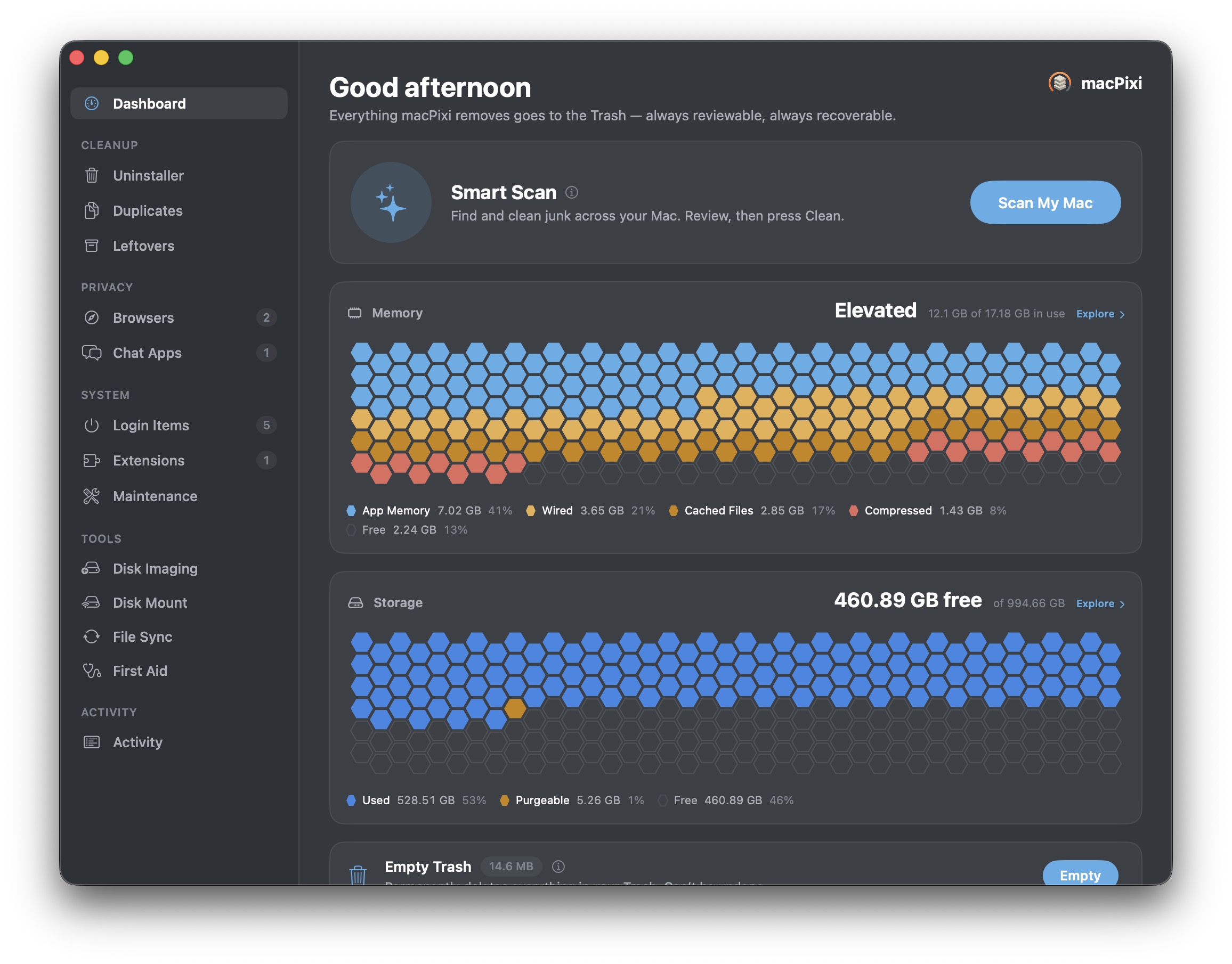
A cleaner that shows its work.
Cleanup tools are trusted with the one thing you can’t undo. macPixi is built so that you never have to find out what it removed the hard way.
Nothing is hard-deleted
Everything macPixi removes goes to the Trash. Changed your mind an hour later? Drag it back. The only button that truly deletes is the one labelled Empty Trash.
You see the list first
Every scan ends on a review screen with the actual paths and the actual sizes. Uncheck anything you recognise. Nothing moves until you press the button.
It keeps the receipts
The Activity log records every action macPixi has ever taken — what moved, what was restored, what failed — with a running total of space reclaimed.
Where the 500 GB actually went.
macOS tells you storage is “System Data” and wishes you luck. macPixi measures the whole volume — every folder, every file, allocated bytes on disk — and lets you walk down into it until you find the thing that ate the drive.
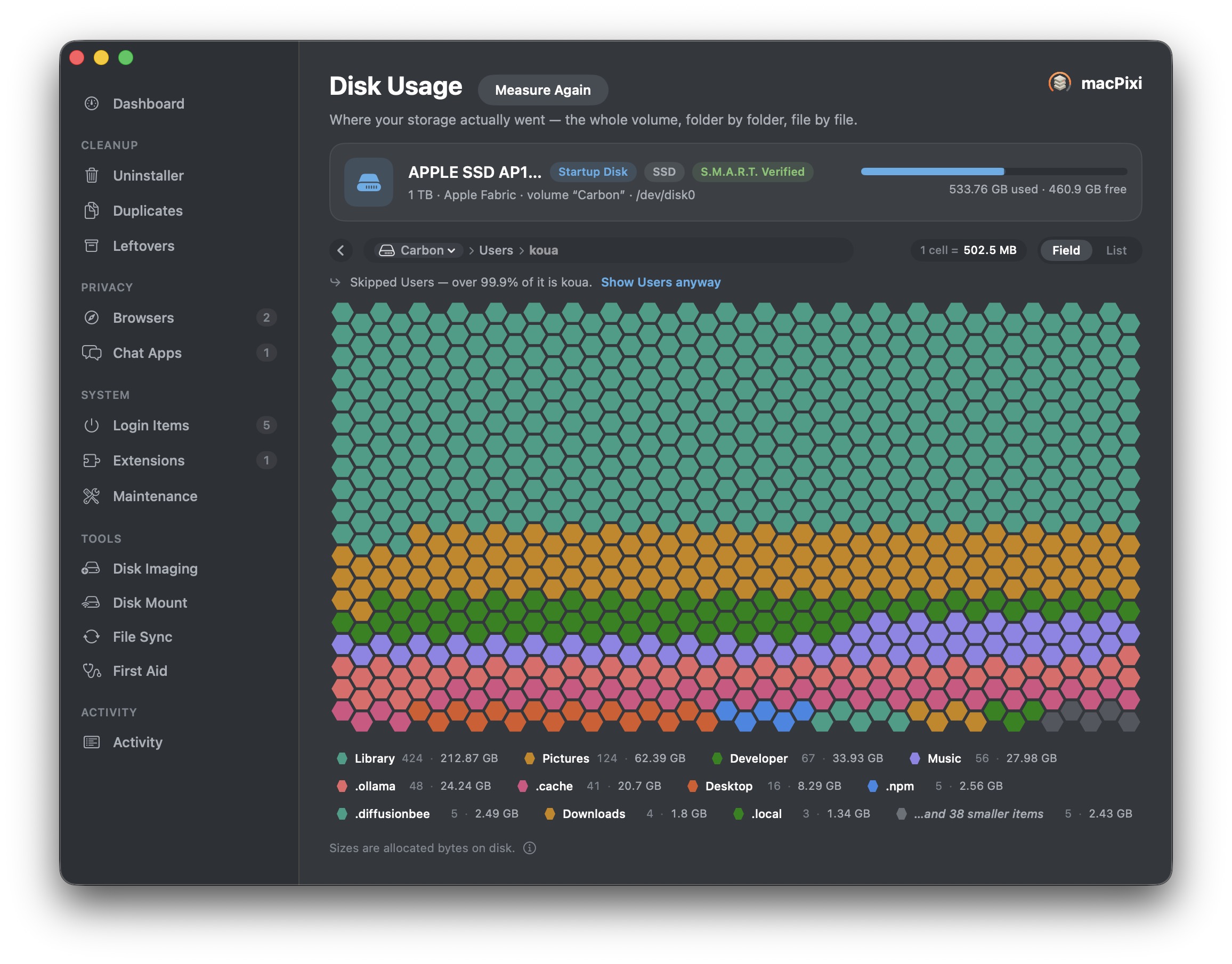
One cell, one fixed slice of the disk. Two hundred hexagons of Library is a feeling that a percentage never quite gives you.
Feel it, or read it.
The same measurement, drawn two ways — and it’s a single click between them. Every chart in macPixi works like this, right down to the memory and storage meters on the dashboard.
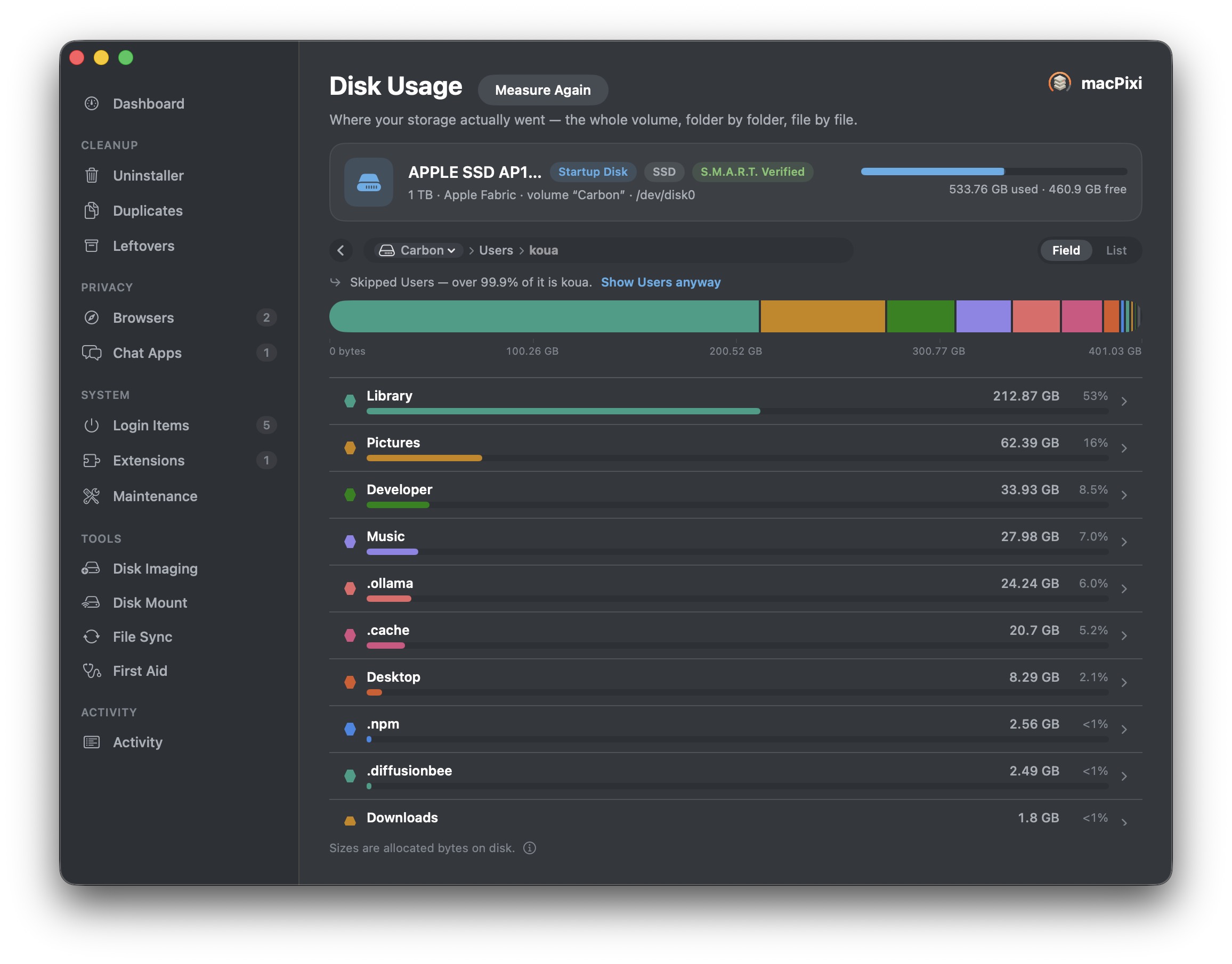
List · ranked, with the numbers
Biggest first, with gigabytes and percentages spelled out. Click any row to descend a level. This is the view for when you’ve already decided to go hunting.
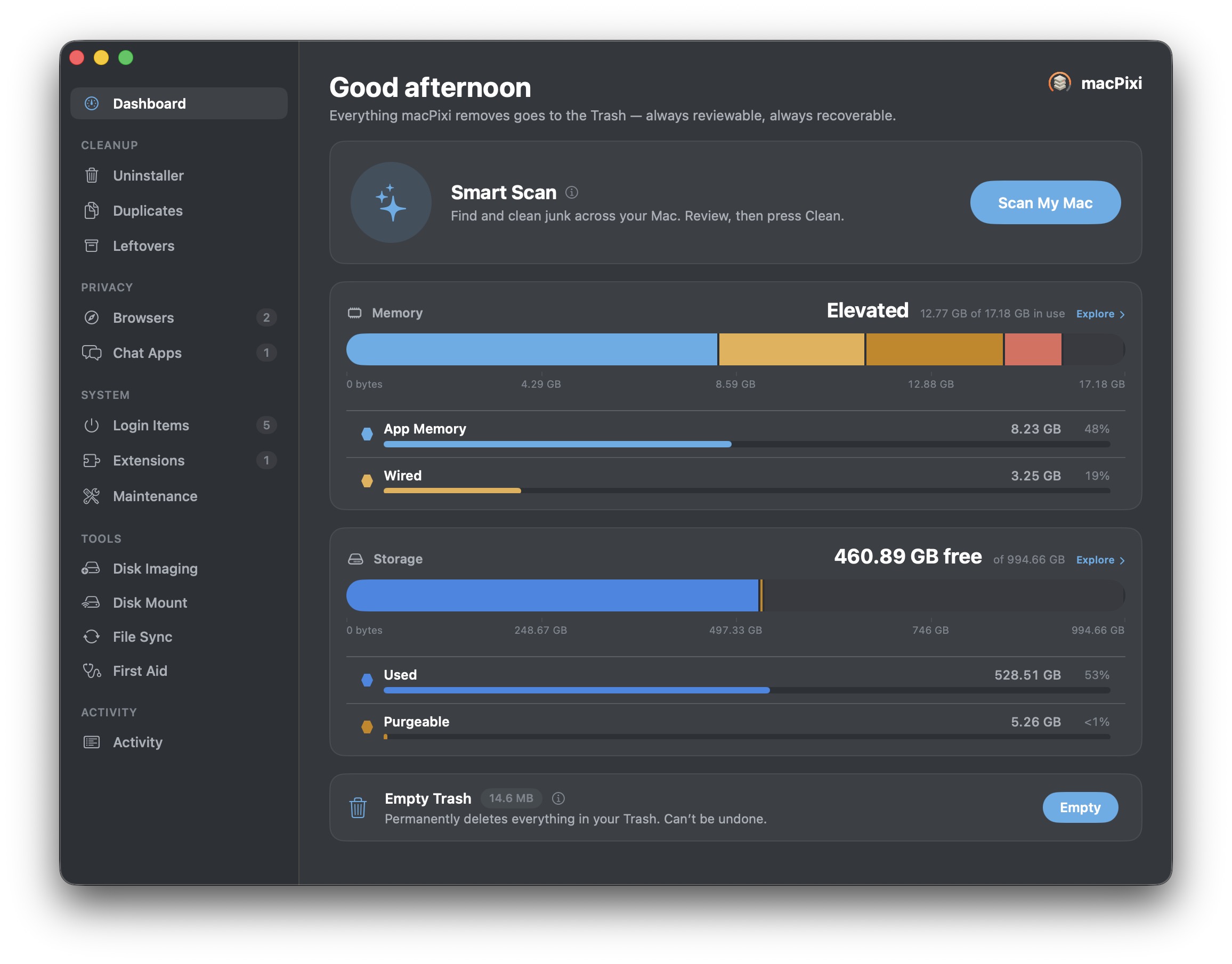
Field · or plain bars, if you’d rather
The honeycomb is lovely and the bars are legible, and neither one is the right answer for everybody. Pick the one you like. Memory pressure, storage, disk usage — they all follow your choice.
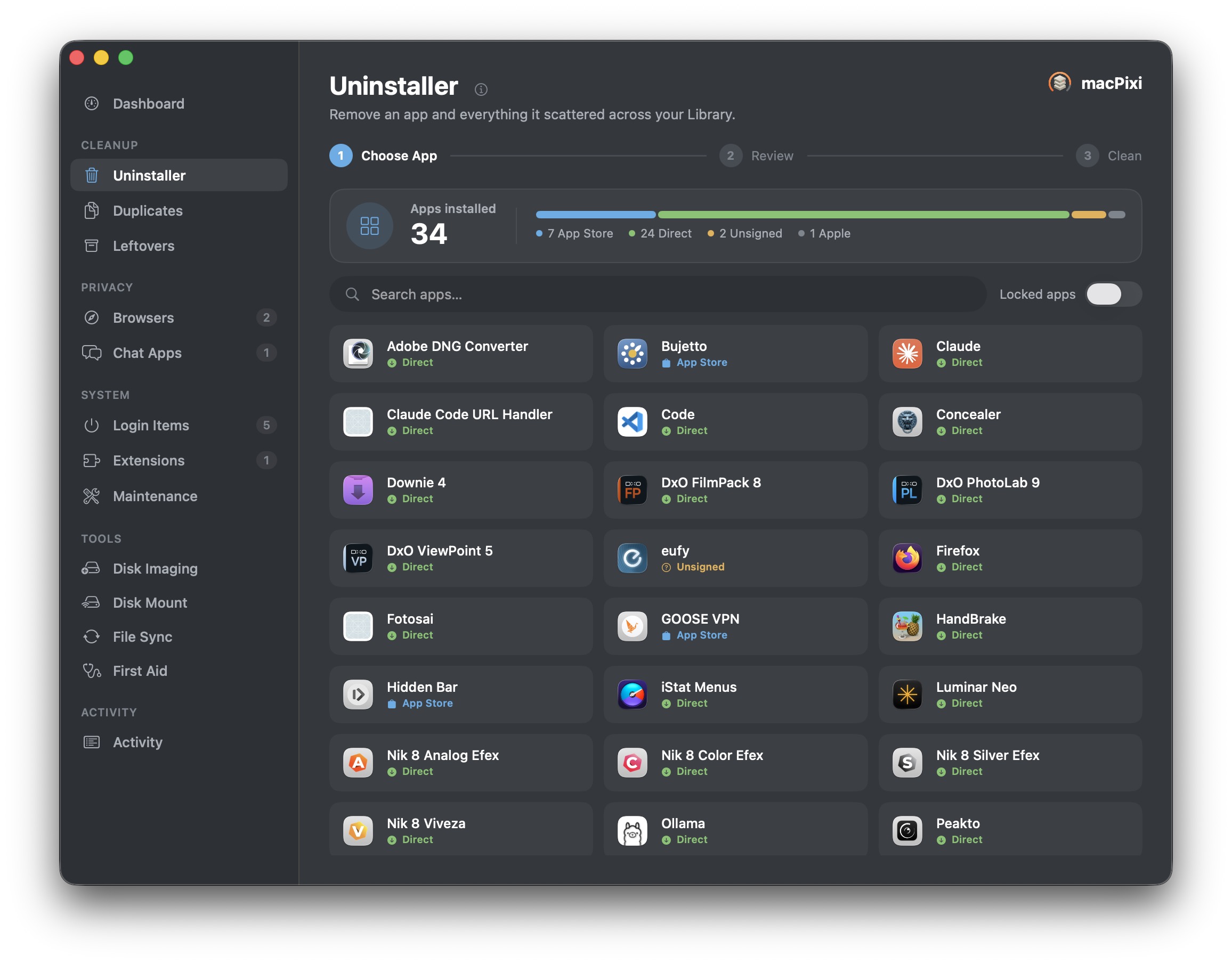
Dragging an app to the Trash isn’t uninstalling it.
Apps scatter themselves — caches, preferences, containers, launch agents, support folders — across corners of your Library you’ll never open. macPixi rounds up the whole set, shows you where each piece lives, and clears it in one pass.
It also tells you where each app came from: App Store, signed developer, unsigned, or Apple. The stuff you didn’t install on purpose tends to stand out.
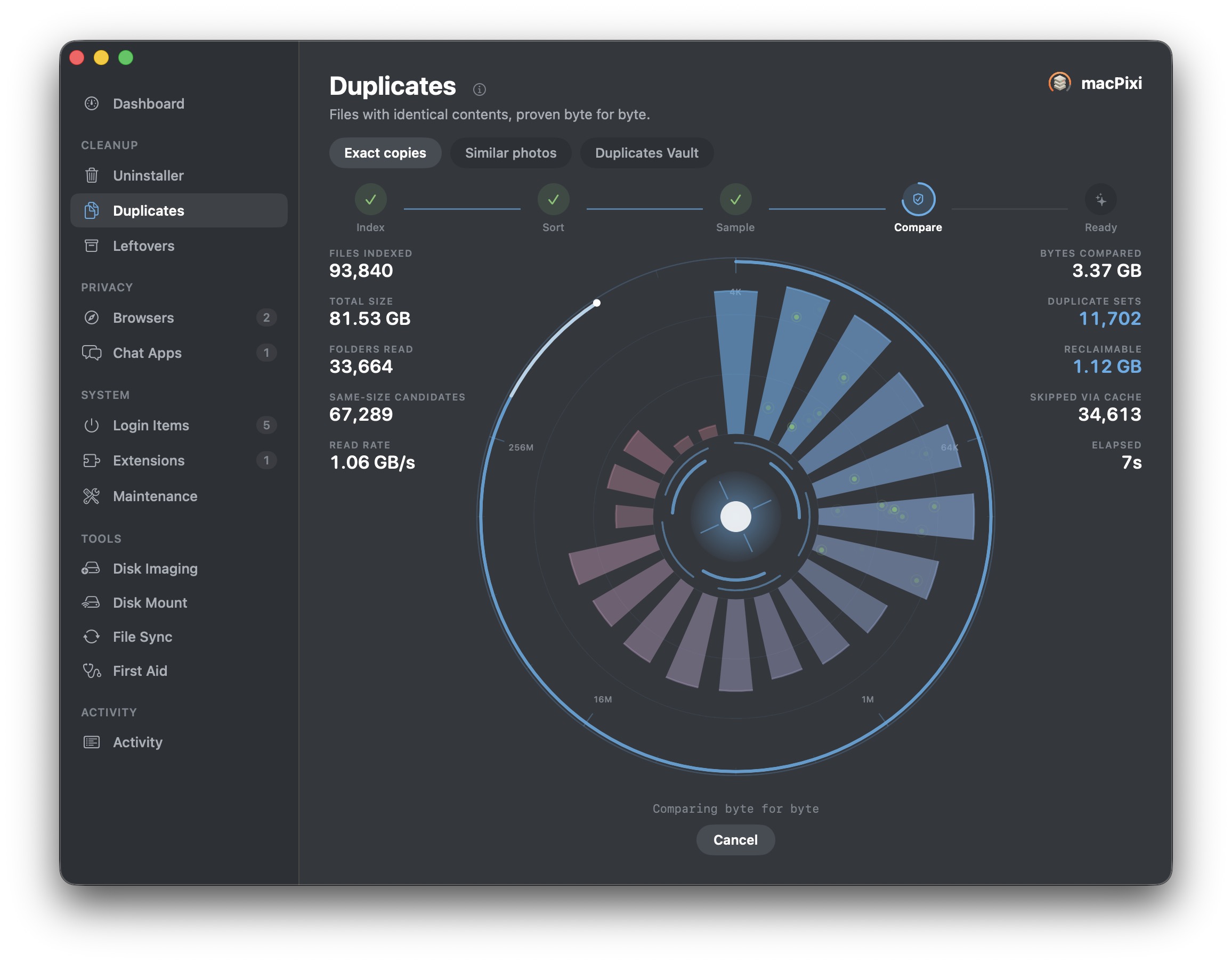
Byte for byte, or it doesn’t count as a duplicate.
Plenty of tools call two files identical because the name and size match. macPixi indexes, groups by size, samples, and then reads both files all the way through before it will say the word. When a delete is permanent everywhere else, a guess isn’t good enough.
There’s a separate pass for similar photos — the burst of nearly-identical shots that a byte comparison will never catch — and everything it removes is held in the Duplicates Vault, so a restore is one click, not a rescue mission.
The trail you leave on your own machine.
Browser history and years of chat attachments are the two things people are most surprised to still have. Both are cleared per app, per profile, and only after you’ve looked.
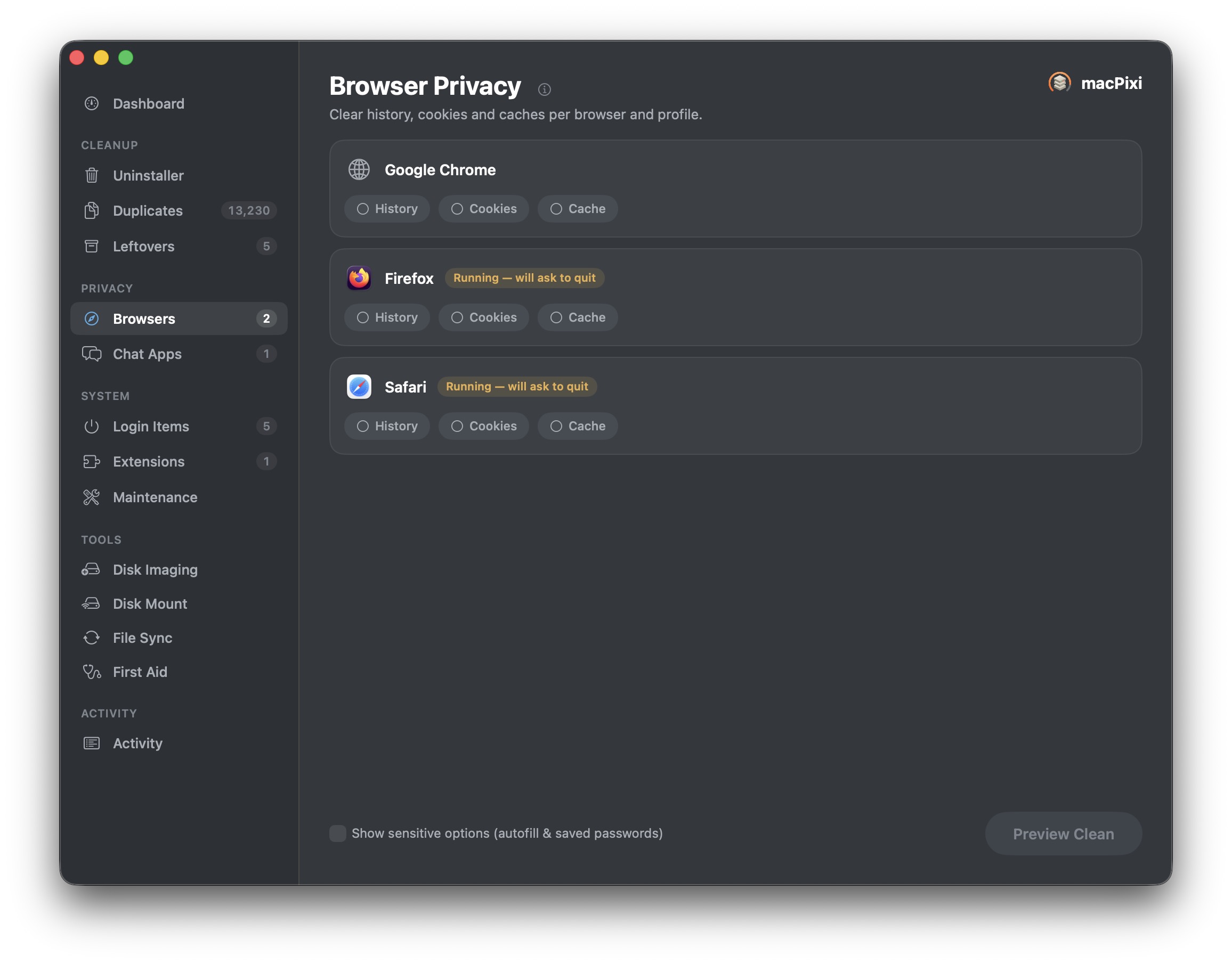
Browsers, profile by profile
History, cookies and caches for Safari, Chrome and Firefox — each profile separately. Anything genuinely irreversible, like autofill and saved passwords, stays hidden behind a switch you have to flip on purpose. Preview Clean shows the damage before you commit.
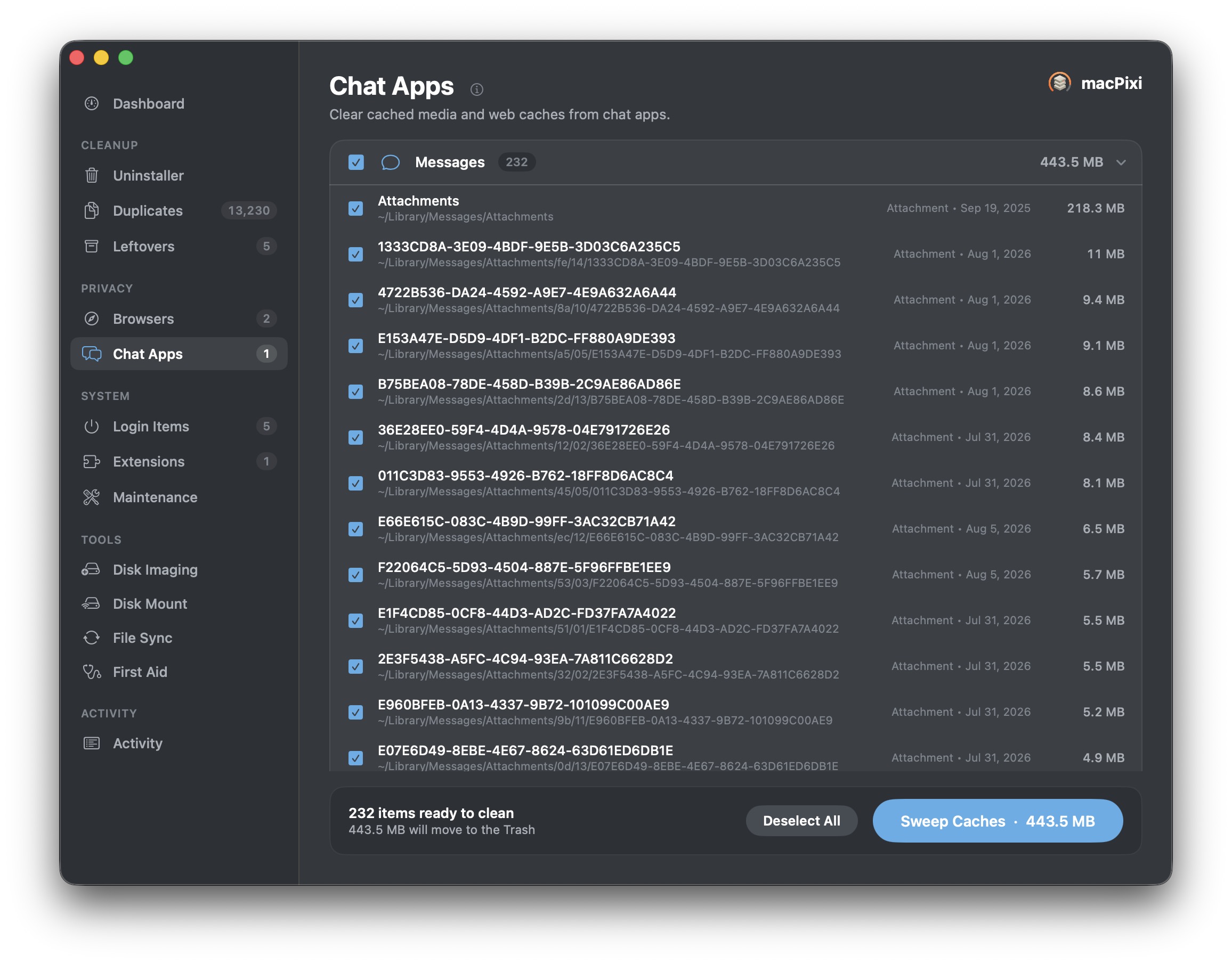
Chat caches, itemised
Every meme, screenshot and video anyone has ever sent you is still on your disk. macPixi lists them one by one with dates and sizes, largest first, so you can sweep a few hundred megabytes without touching a conversation.
Why is my Mac like this?
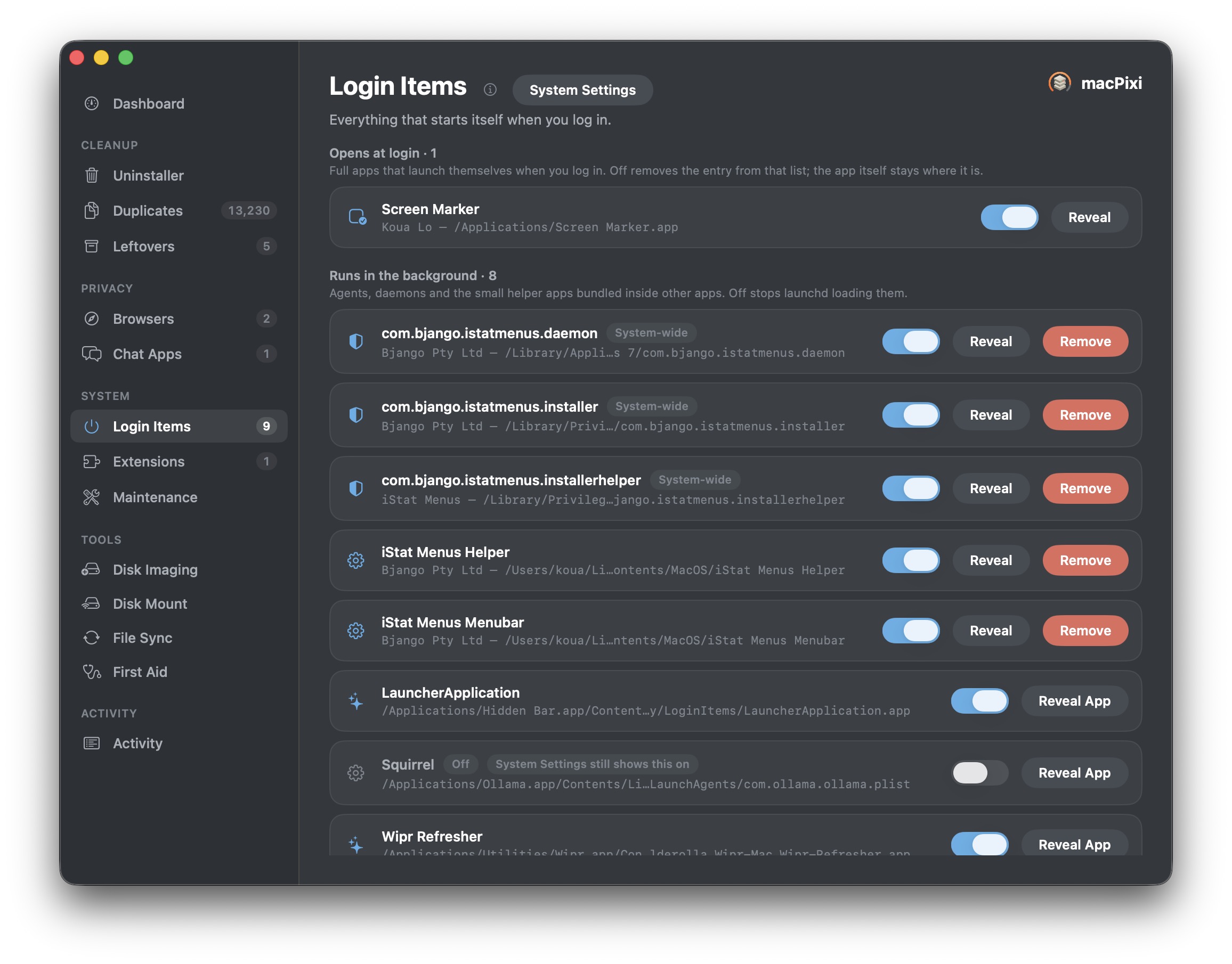
Everything that starts itself when you log in
Not just the short list in System Settings. macPixi separates the apps that open at login from the agents, daemons and helper processes bundled inside other apps — the ones quietly holding memory since the last time you rebooted.
Each one shows its developer and its real path, with Reveal to go look for yourself. It even flags the entries System Settings still claims are running when launchd has already let them go.
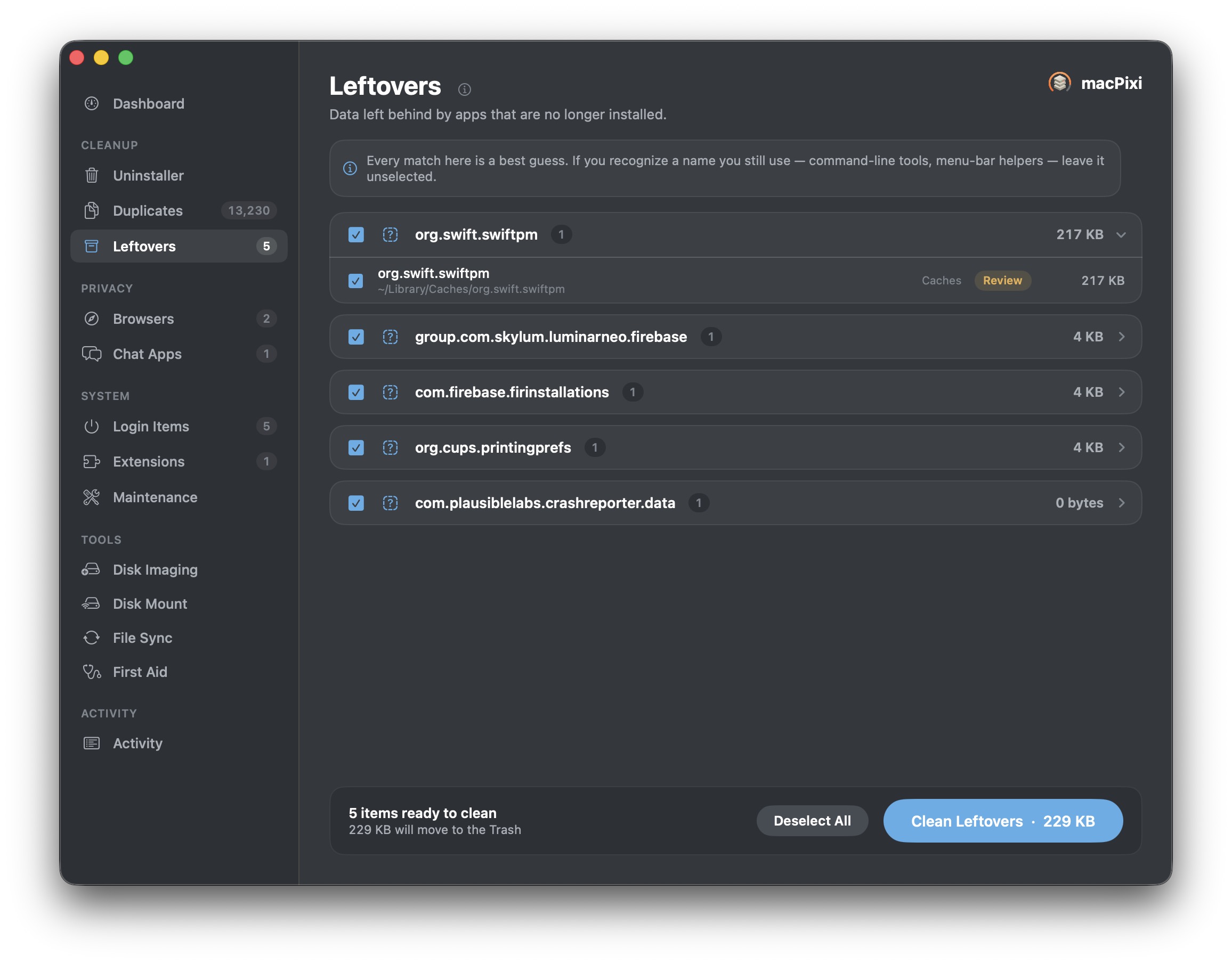
Leftovers from apps that are long gone
Orphaned caches and preference files from software you deleted years ago. macPixi says plainly that every match here is a best guess — if you recognise a name you still use, leave it alone. A cleaner that admits uncertainty is a cleaner you can leave running.
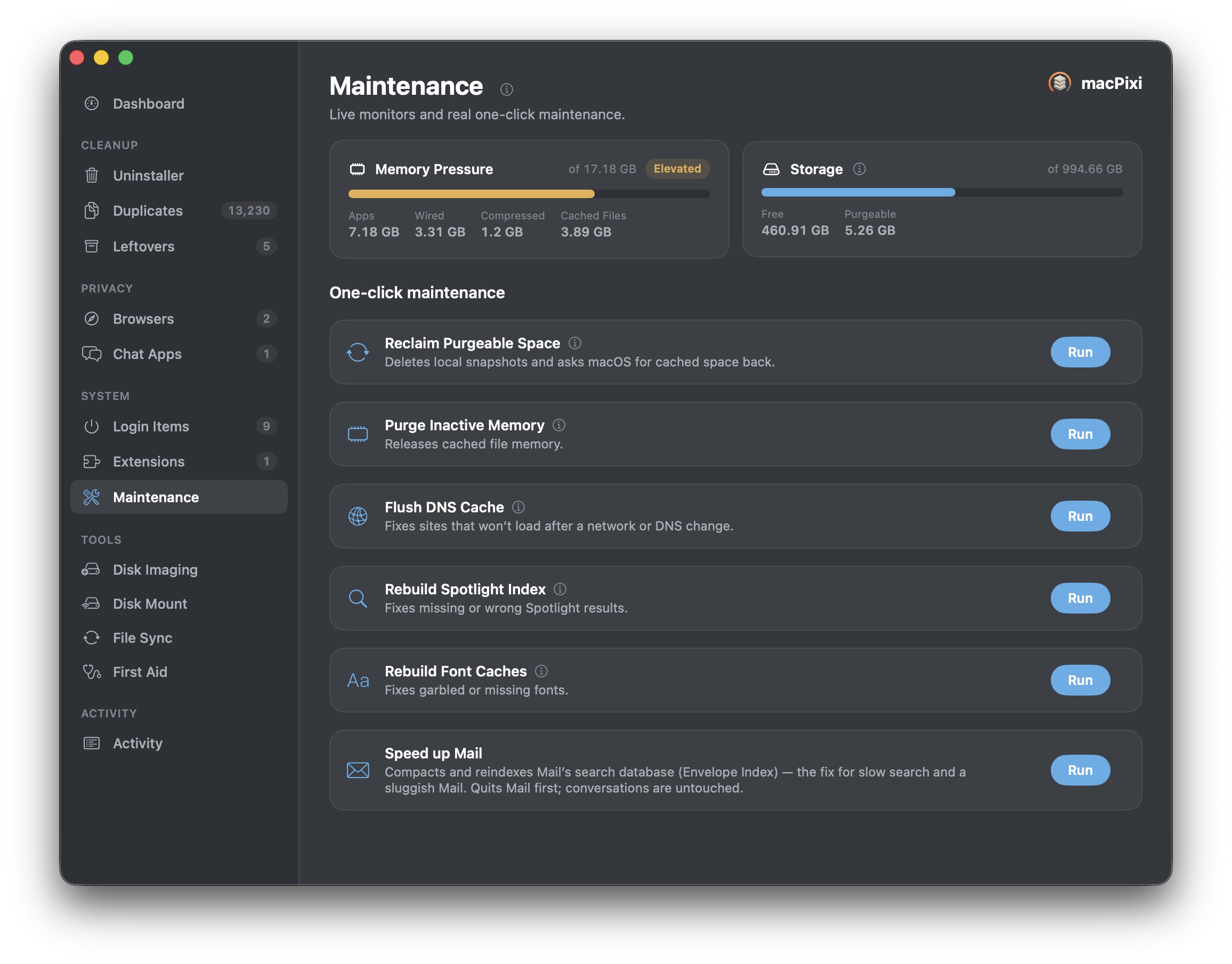
Maintenance that actually does something
Reclaim purgeable space, release cached memory, flush DNS when a site won’t load, rebuild the Spotlight index when search goes wrong, rebuild font caches, and compact Mail’s Envelope Index — the real fix for Mail that has become unbearably slow.
And then it stops being a cleaner.
The jobs that normally mean four downloads, a Terminal window and a forum post from 2014. They’re in here, in the same window, with the same review-it-first manners.
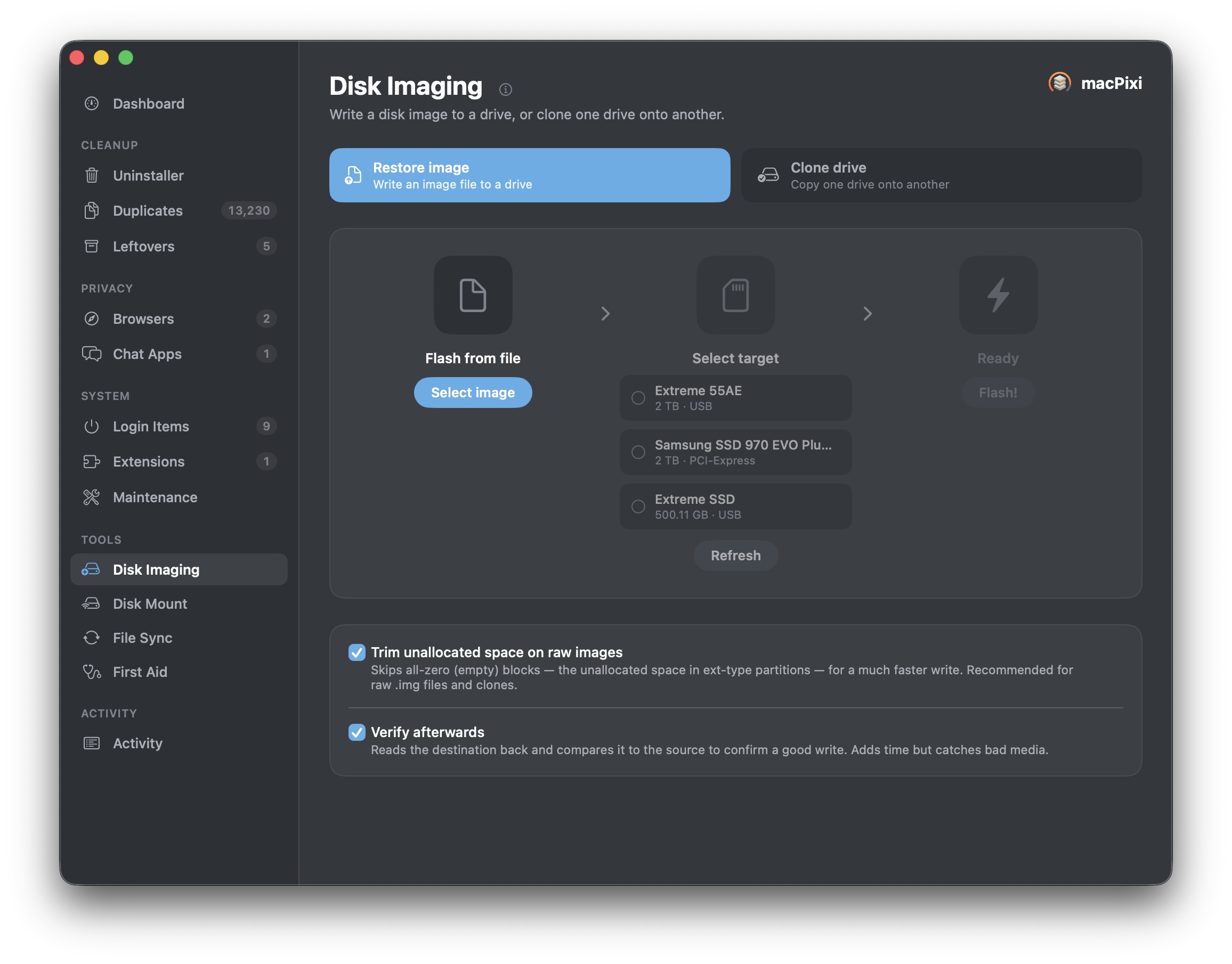
Disk Imaging · flash & clone
Write an image file to a drive, or copy one drive straight onto another. It skips empty blocks so the write finishes in a fraction of the time, then reads the destination back and compares it — which is how you find out the cheap USB stick is bad before you trust it.
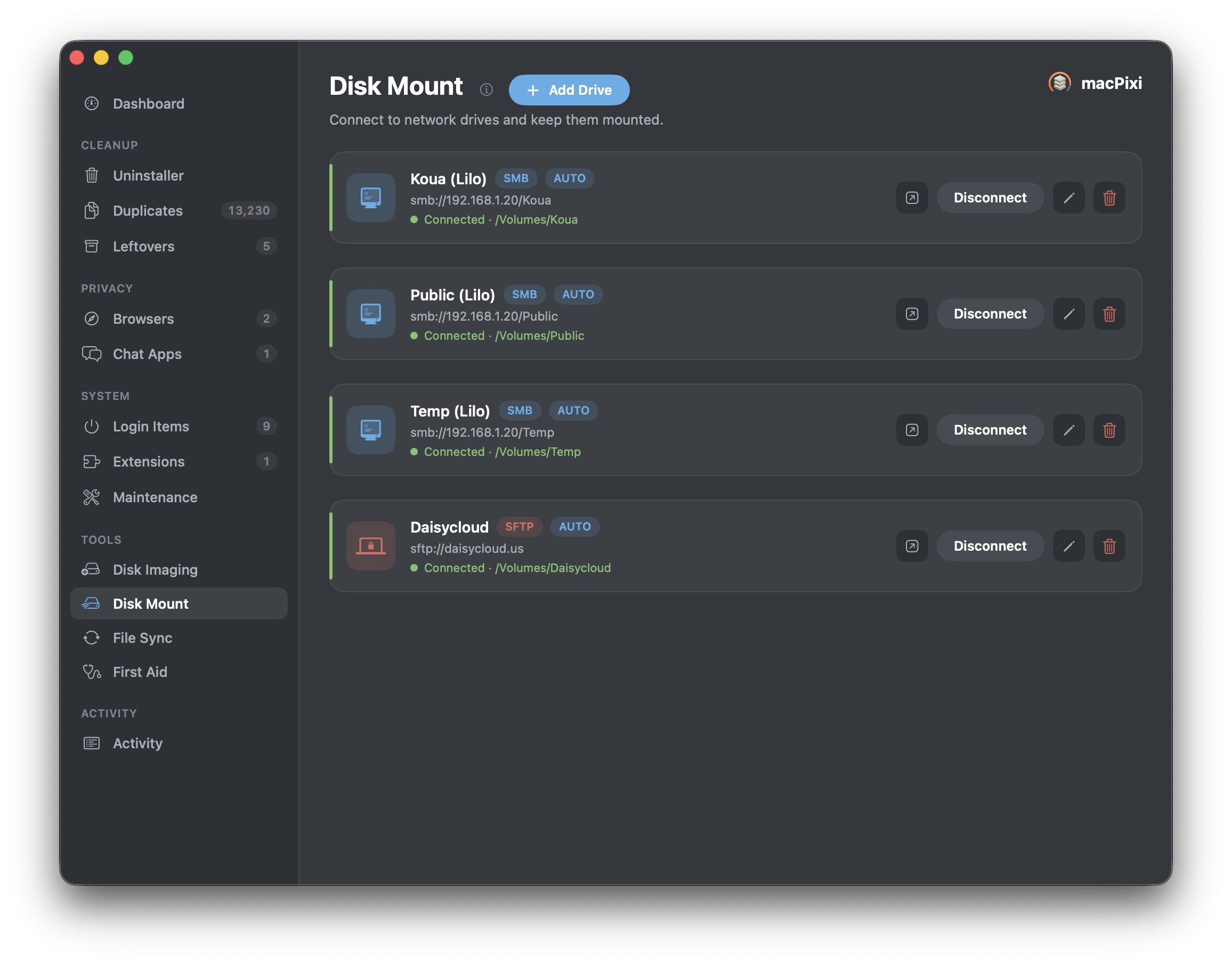
Disk Mount · SMB & SFTP
Save your NAS shares and servers once and have them mounted and waiting every time you sit down. When the network drops, they come back on their own instead of leaving you a stale Finder window.
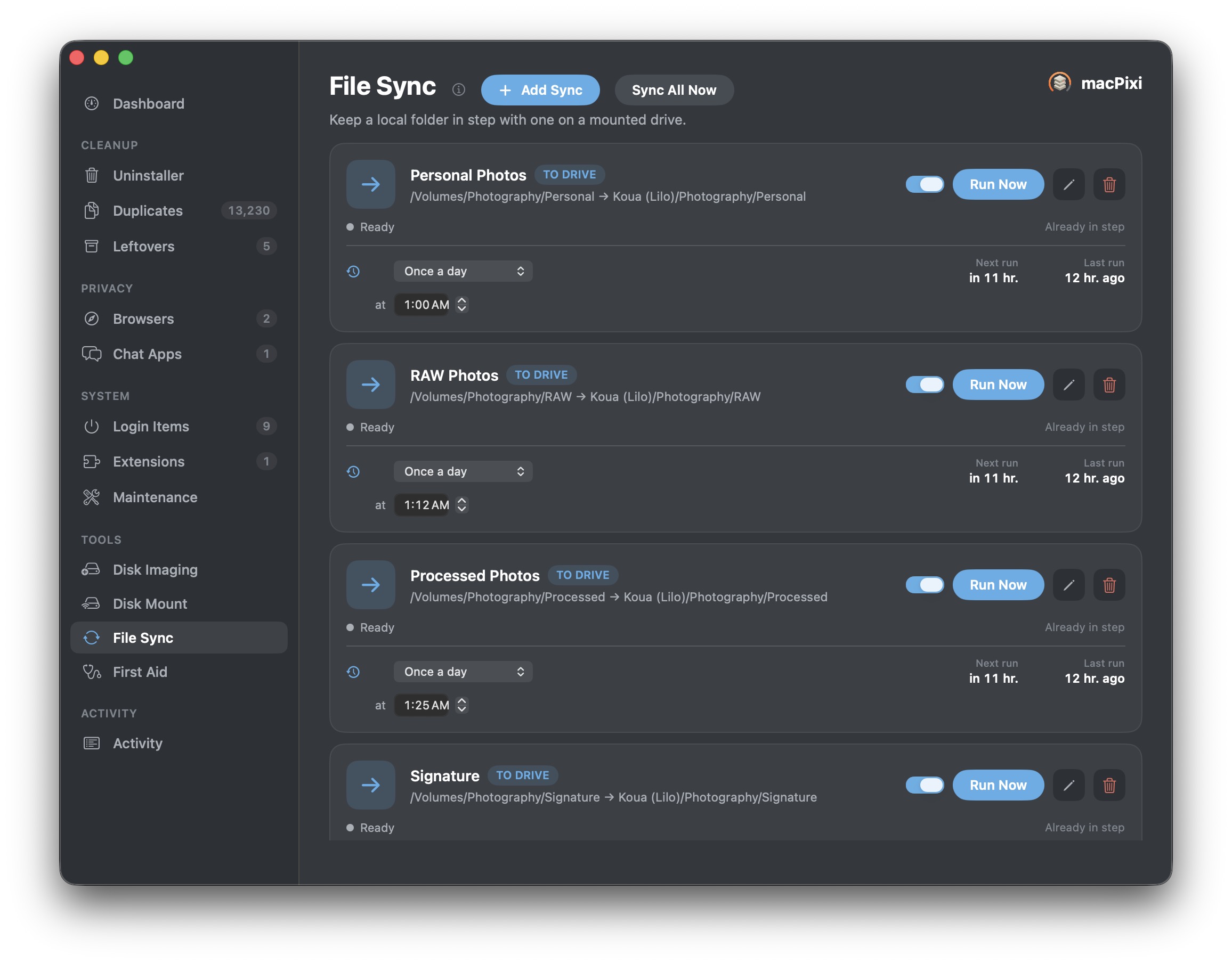
File Sync · on a schedule
Keep a local folder in step with one on a mounted drive — one-way, the other way, or both — nightly at an hour you pick. Push syncs never delete anything at the far end: a file that’s about to be replaced is renamed and left in place.

First Aid · verify & repair
The same check-and-repair Disk Utility runs, on every volume you have, without the hunt through a sidebar. Your startup disk is verify-only, exactly as macOS insists.
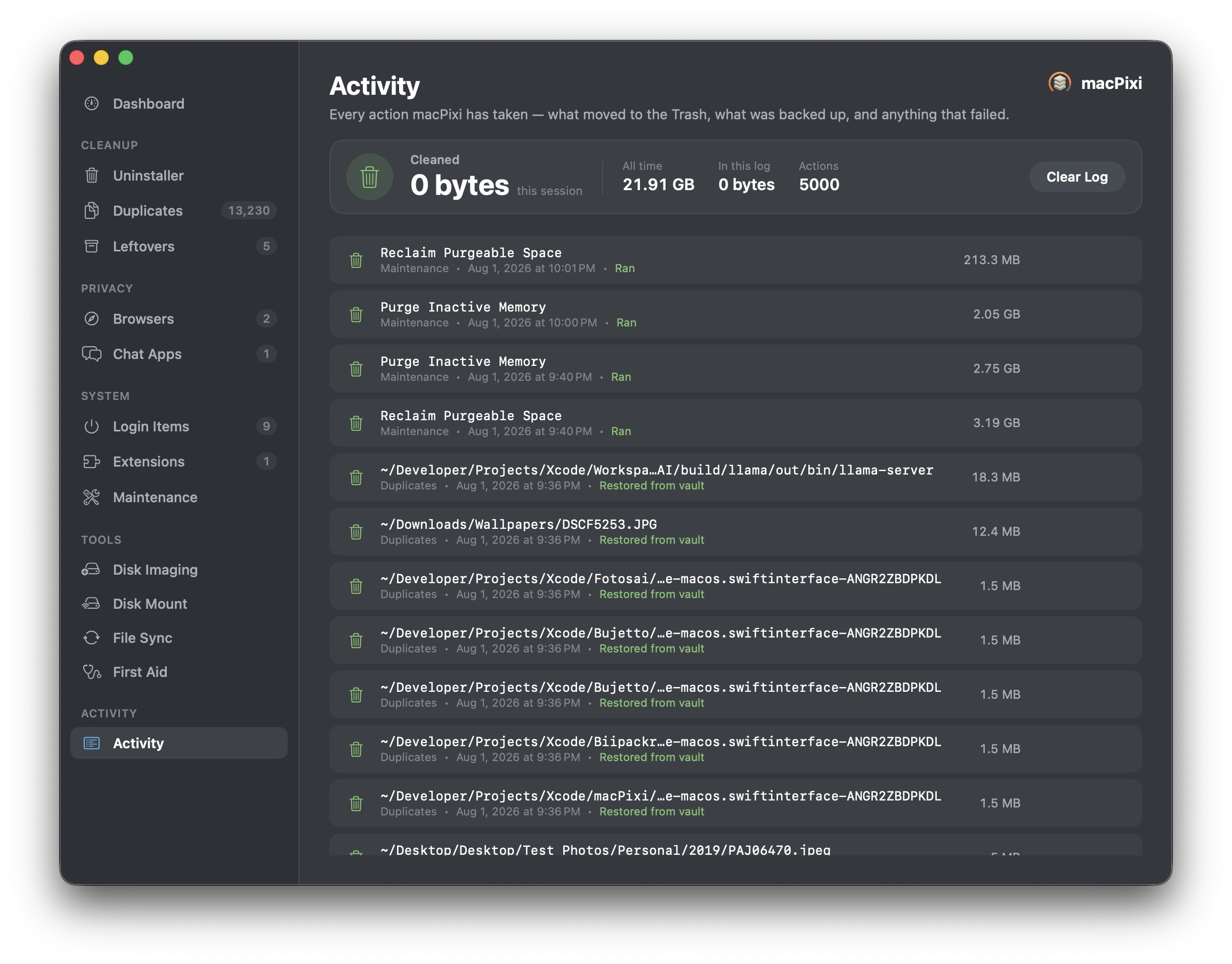
If you have to ask what it did, it wasn’t honest enough.
Every action macPixi takes is written down: the file, the size, the screen it came from, the time, and whether it worked. Restores are logged next to removals, so the record shows the mistakes too.
It adds up the space you’ve reclaimed since the day you installed it — which is either satisfying or alarming, depending on the Mac.
Buy it once. It stays bought.
No subscription, no upsell screen, no “premium” half of the app greyed out. Try it free for 14 days first — no card, nothing to cancel.
macPixi has no account, no analytics and no tracking. Scans happen on your Mac and the results stay there. It contacts our server exactly once, to confirm your licence — after that it works offline for good.
Let’s go find that disk space. 🌼
Free for 14 days, then $19.95 once. Everything it touches lands in the Trash, so the worst case is a shrug.
 Daisycloud